ChatGPT vs Gemini: Which AI Is Better in 2026?
Table of Contents
- At a Glance
- What Is ChatGPT?
- What Is Gemini?
- The Biggest Difference
- Features Compared
- Pricing & Plans
- Free Version compared
- For Students
- For Writers
- For SEO
- For Research
- For Businesses
- Pros & Cons
- Which Is Better for You?
- Which to Pay For
- Using Them Together
- Better Answers?
- Is Gemini Better?
- Is ChatGPT Better?
- Can Gemini Replace ChatGPT?
- Can ChatGPT Replace Gemini?
- FAQ
- Final Verdict
Lead AI Tech Analyst & Editorial Director
ChatGPT vs Gemini is one of the most useful AI comparisons for anyone trying to choose an everyday AI assistant. Both can answer questions, write and summarize content, analyze files, help with research, generate images, and support creative or technical work.
But they are not identical.
ChatGPT is generally the better all-around choice for conversational work, structured writing, coding workflows, and a broad ecosystem of AI features. Gemini has a major advantage for people who already live inside Google Search, Gmail, Docs, Drive, and other Google services.
The better choice depends on what you actually need.
Pricing and features change frequently. This comparison reflects product information available in August 2026.
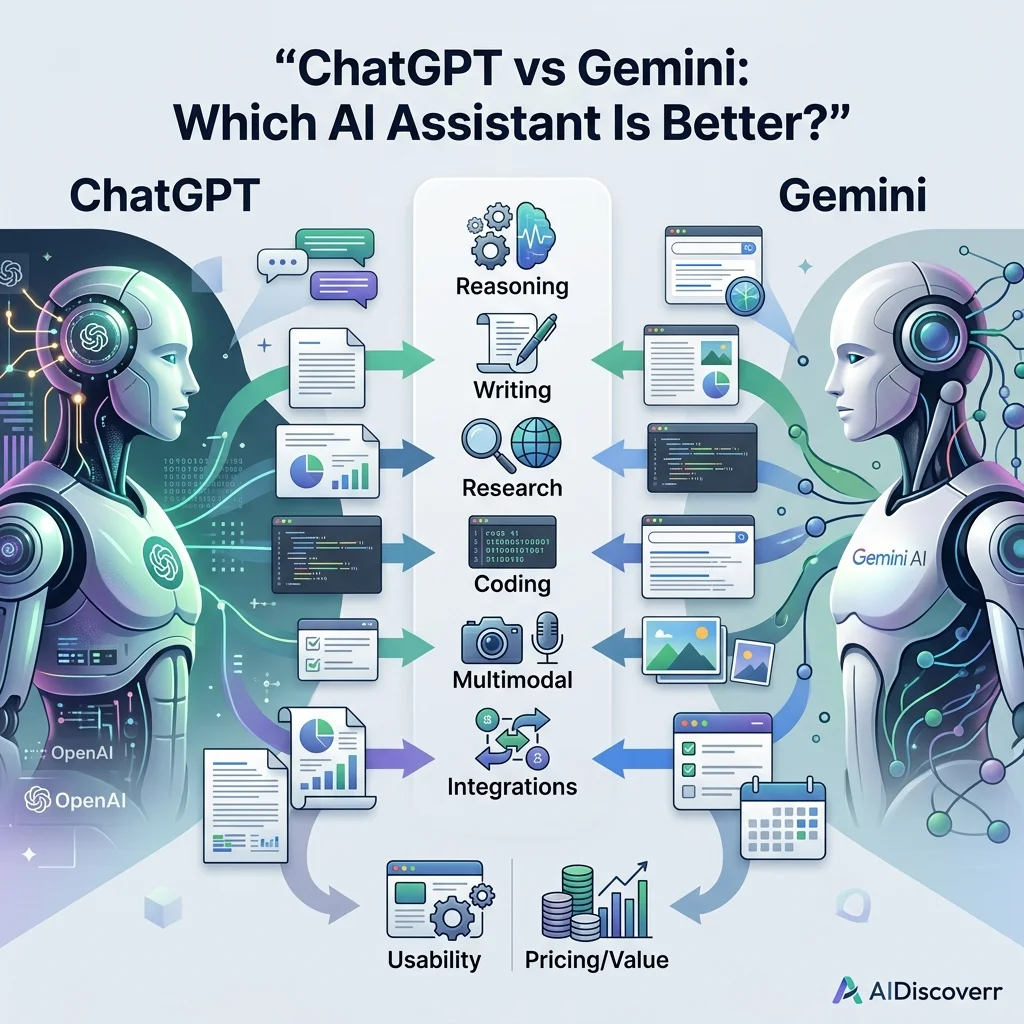
ChatGPT vs Gemini at a Glance
| Feature | ChatGPT | Gemini |
|---|---|---|
| Best overall use | General AI assistant and AI workspace | Google-connected AI assistant |
| Writing | Excellent | Excellent |
| Research | Excellent | Excellent |
| Coding | Excellent | Excellent |
| Long documents | Strong | Very strong |
| Web research | Yes | Yes |
| Deep research | Yes | Yes |
| Image generation | Yes | Yes |
| File analysis | Yes | Yes |
| Custom assistants | Custom GPTs | Gems |
| Google Workspace integration | Available through connected apps/features | Excellent |
| Gmail/Docs integration | Available through connected apps | Native Google ecosystem |
| Projects/workspaces | Yes | Yes, through Google's ecosystem |
| Mobile apps | Yes | Yes |
| Free option | Yes | Yes |
| Paid ecosystem | ChatGPT Plus/Pro and other plans | Google AI Plus/Pro/Ultra |
| Best for Google users | Good | Excellent |
| Best for general-purpose AI | Excellent | Excellent |
The exact availability of models, limits, and features can vary by plan, region, account type, and product rollout.
What Is ChatGPT?
ChatGPT is OpenAI's conversational AI product. It has developed from a simple chatbot into a broader AI workspace that supports writing, reasoning, research, file analysis, coding, image generation, voice interaction, projects, custom GPTs, and other workflows.
OpenAI's current product direction also includes more agentic workflows. Its July 2026 release notes, for example, describe ChatGPT Work, designed for longer tasks involving research, connected apps and files, and creation of documents, spreadsheets, presentations, reports, and sites.
This makes ChatGPT more than a question-and-answer tool. You can use it to:
- Write and edit content
- Brainstorm ideas
- Analyze documents
- Summarize research
- Work with data
- Generate images
- Write and debug code
- Conduct research
- Organize projects
- Build custom AI assistants
- Work with connected sources
- Handle longer multi-step tasks
What Is Gemini?
Gemini is Google's family of AI assistants and models.
Its biggest advantage is its connection to Google's broader ecosystem.
Depending on your account and plan, Gemini can work alongside services such as:
- Google Search
- Gmail
- Google Drive
- Google Docs
- Google Sheets
- Google Slides
- Google Vids
- NotebookLM
- Google AI Studio
- Google Workspace
Google also offers features such as Canvas, where users can create or edit documents, applications, slides, and code with Gemini.
Gemini also offers Deep Research, which can use Google Search and, when connected, sources such as Gmail and Drive.
That makes Gemini particularly attractive if most of your digital life already runs through Google.
ChatGPT vs Gemini: The Biggest Difference
The simplest way to understand the competition is this:
ChatGPT is built around an AI-first workspace.
Gemini is built around Google's AI ecosystem.
That distinction matters more than trying to declare one model the universal winner. For example, imagine you are writing an article.
With ChatGPT, you might create a project, provide research material, develop an outline, write the article, analyze data, and refine the final draft.
With Gemini, you might benefit more if your research, emails, documents, spreadsheets, and other information already live inside Google services.
So the question isn't simply: "Which AI is smarter?"
A better question is: "Which AI fits the way I already work?"
ChatGPT vs Gemini: Features Compared
1. Writing and Content Creation
Both tools are strong writing assistants.
ChatGPT is particularly useful when you want to control:
- Tone and style
- Structure and formatting
- Audience alignment
- Content organization
- Iterative editing
- Long-form drafting
It can also maintain project context and work with supplied sources.
Gemini is similarly capable for:
- Drafting emails
- Rewriting documents
- Summarizing information
- Brainstorming & outlines
- Editing text
- Working within Google Docs
Winner for writing: ChatGPT. For general-purpose writing, I would give ChatGPT the edge because of its broad workflow and customization options. However, someone who spends most of the day writing inside Google Docs may prefer Gemini.
2. Research and Deep Research
Both platforms have dedicated research capabilities.
ChatGPT's Deep Research has received updates designed to improve research accuracy and give users more control over sources and research plans. OpenAI says users can focus research on specific websites and connected apps, and can review or modify a research plan before research begins.
Gemini's Deep Research takes a different approach.
Google says Gemini Deep Research includes Google Search as a source by default and can also use selected sources such as Gmail, Drive, uploaded files, and NotebookLM notebooks when available. Google also notes that Gemini Deep Research reports can take several minutes because the system analyzes multiple sources.
Winner: Tie. Choose based on your workflow. Choose ChatGPT if you want a flexible research workspace. Choose Gemini if Google Search and Google-connected information are central to your research process.
3. Context Window and Large Documents
This is an area where Gemini can be particularly attractive.
Google's current Gemini Apps documentation lists a context window of:
- 32K tokens without a Google AI plan
- 128K tokens with Google AI Plus
- 1 million tokens with Google AI Pro and Google AI Ultra
Google notes that context size determines how much content Gemini can understand together when working with uploaded files and conversations. That can be useful when dealing with large reports, books, research papers, long transcripts, or extensive project material.
ChatGPT also supports large contexts and file-based workflows, with OpenAI expanding the context available to some reasoning workflows. OpenAI's February 2026 release notes reported a 256K-token total context window for manually selected Thinking.
Winner for very large document workflows: Gemini. Gemini's advertised 1-million-token context on Google AI Pro and Ultra makes it especially compelling for users who regularly work with extremely large inputs. But context size alone does not determine answer quality; a model still needs to correctly understand, retrieve, and reason over the information.
4. Coding
Both ChatGPT and Gemini can help programmers.
You can use either for writing code, explaining code, debugging, refactoring, generating tests, understanding errors, and working through architecture decisions.
ChatGPT is particularly useful when you want an interactive programming partner that can explain a problem, generate an implementation, review it, and iterate on the result.
Gemini also has strong coding capabilities and integrates into Google's developer ecosystem.
Google's Gemini Canvas can be used to create and edit code and inspect errors and logs in generated applications. Google's AI plans also include access to developer-oriented products such as AI Studio, Jules, and Google Antigravity, with higher limits available on higher-tier plans.
Winner for general coding assistance: ChatGPT.
Winner for Google-centric development workflows: Gemini.
For serious software development, however, neither should automatically replace an IDE, code review process, testing, or human engineering judgment.
5. Google Workspace Integration
This is where Gemini has a major advantage.
If your workflow revolves around Gmail, Google Docs, Google Sheets, Google Drive, Google Slides, Google Vids, and Google Search, Gemini can fit naturally into that ecosystem. Google's AI Pro plan, for example, includes Gemini integration across Gmail, Docs, Vids and other Google products.
Suppose your task is: "Read information from my Google Drive and help me turn it into a report." Gemini's ecosystem can be extremely convenient.
Winner: Gemini. If Google Workspace is your primary productivity environment, Gemini deserves serious consideration.
6. Custom AI Assistants
ChatGPT provides Custom GPTs, allowing users to create customized assistants for particular tasks. Gemini offers Gems.
Google describes Gems as customized versions of Gemini designed to help with repetitive tasks or specialized instructions. Users can create custom Gems and provide additional knowledge files.
Both approaches solve a similar problem: instead of giving the same instructions every time, you create a customized AI assistant once.
Winner: Tie. The better option depends on which ecosystem you prefer.
7. Creative Work and Images
Both platforms have expanded beyond text.
ChatGPT supports image generation as part of its broader AI product ecosystem.
Gemini also provides image generation and editing, along with other creative capabilities. Google's current AI plans include access to image, music, and video generation features, with higher limits on higher-tier plans. This is particularly interesting for users who want access to Google's broader creative AI products.
Winner: Tie. The better choice depends on the specific creative task and the model/tool available to your account.
8. Voice and Multimodal Interaction
Both ChatGPT and Gemini support multimodal interactions (text, images, files, voice).
ChatGPT's paid plans have included advanced voice features with video and screen sharing, while Google's Gemini ecosystem includes Gemini Live and other multimodal capabilities.
Winner: Tie. For everyday voice conversations, both are strong choices.
9. File Analysis
Both tools can analyze uploaded files (PDFs, documents, spreadsheets, data, images).
The major difference is not whether the tools can analyze files, but rather how much information you need to analyze and where that information lives. Gemini has an especially strong argument for users working with extremely large files or large collections of Google-based information due to its 1-million-token context window for AI Pro and Ultra users.
Winner for massive context: Gemini.
Winner for general file-analysis workflows: ChatGPT.
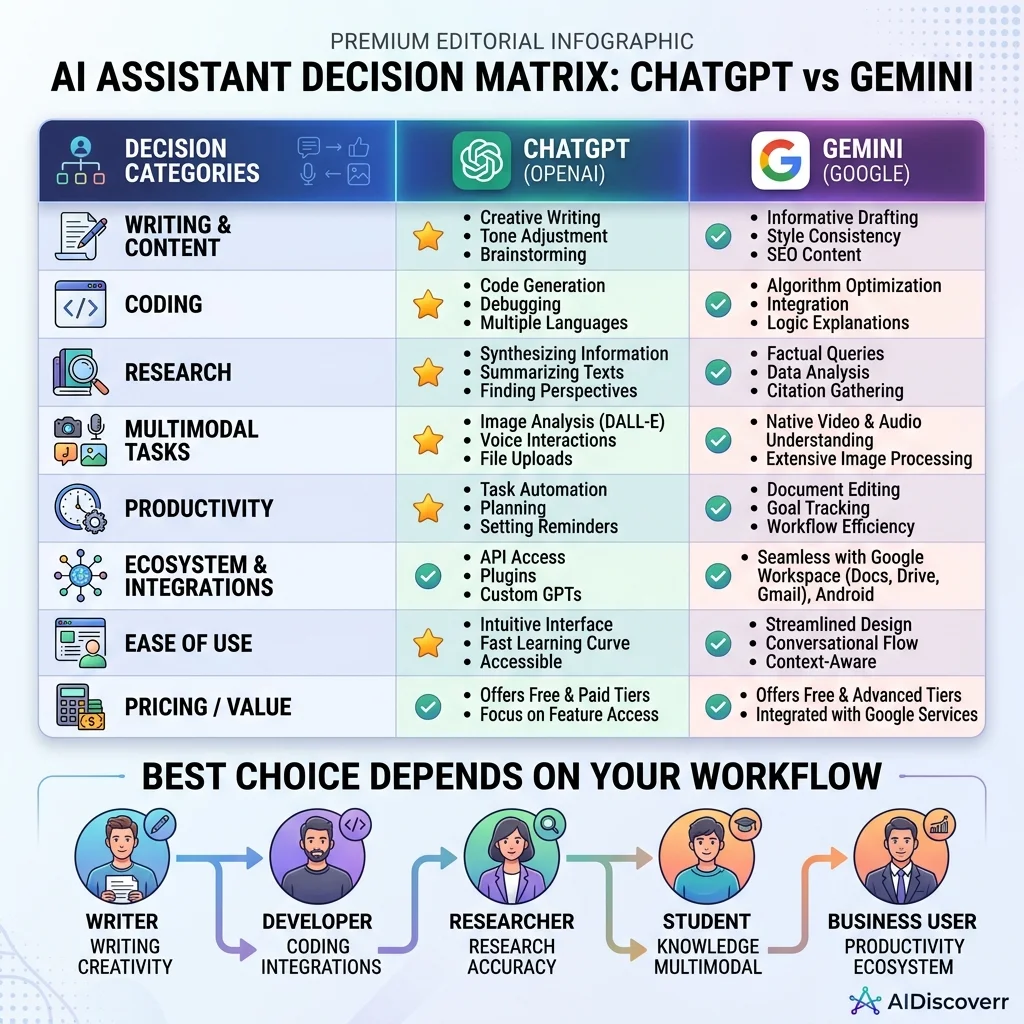
ChatGPT vs Gemini Pricing
Pricing is one of the areas that changes frequently, so don't treat old comparison articles as permanent pricing references.
ChatGPT Plans
The consumer pricing page lists:
- Free: $0/month (standard usage with limits)
- Plus: $20/month (expanded advanced model access, deep research, GPTs, images)
- Pro: $200/month (unlimited high-tier reasoning, specialized tooling)
Gemini Plans
Google's current Google AI plans include:
- Google AI Plus: $9.99/month (adds 128K context)
- Google AI Pro: $19.99/month (adds 1M context, 5 TB storage, Gmail/Docs integration)
- Google AI Ultra: Pricing and benefits vary by market and promo period.
At the common $20/month level, ChatGPT Plus and Google AI Pro are similarly priced, but they provide different bundles. ChatGPT Plus focuses heavily on OpenAI's AI capabilities, whereas Google AI Pro bundles Google storage, email, and Workspace integrations.
ChatGPT vs Gemini: Which Has the Better Free Version?
Both offer free access. ChatGPT's free plan provides access to core ChatGPT with limits on advanced capabilities. Gemini also allows users to access Gemini without a paid plan, although some capabilities and higher limits require Google AI subscriptions.
Winner: Tie. Try both before paying. Your own workload is a better test than a generic benchmark.
ChatGPT vs Gemini for Students
Students can use either platform for explaining concepts, summarizing readings, creating study guides, research, and coding.
Gemini has a significant advantage for students already using Google Docs and Google Drive. Gemini also provides learning-oriented capabilities, such as quizzes and practice tests, within its help ecosystem.
Best for students: Gemini for Google users; ChatGPT for general learning.
ChatGPT vs Gemini for Writers
For bloggers, copywriters, and content creators, ChatGPT is a strong choice for content outlines, long-form drafts, editing, rewriting, tone adaptation, and structured content workflows. Gemini is exceptionally useful if your writing workflow already runs through Docs and Drive.
Winner: ChatGPT. For a standalone AI writing workspace, I would choose ChatGPT. For a writer who lives inside Google Workspace, Gemini may be more convenient.
ChatGPT vs Gemini for SEO
A good SEO workflow requires search intent analysis, original research, competitive analysis, internal linking, and strong layout. ChatGPT can help build structured SEO workflows and analyze supplied data. Gemini can be useful when research involves live Google Search and Google-connected information.
Winner: ChatGPT for SEO workflows; Gemini for Google-connected research.
ChatGPT vs Gemini for Research
- Choose ChatGPT when you need: Structured research, writing and synthesis, multi-step analysis, project-based workflows, and custom research instructions.
- Choose Gemini when you need: Google Search integration, Google-connected sources, very large document context, and Google Workspace workflows.
ChatGPT vs Gemini for Businesses
Businesses must consider data controls, security, integrations, and administration. OpenAI offers business and enterprise plans with custom privacy controls, access management, and team tooling. Google's advantage is its deep connection to the existing Google Workspace ecosystem.
Best for Google Workspace businesses: Gemini.
Best for AI-first workflows: ChatGPT.
ChatGPT vs Gemini: Pros and Cons
ChatGPT Pros
- Powerful general-purpose AI assistant
- Excellent writing and editing workflows
- Highly interactive coding assistance
- Projects and custom GPTs
- Broad ecosystem of custom applications
ChatGPT Cons
- Higher-tier capabilities are expensive ($200/month Pro)
- Usage limits vary dynamically based on load
- No native integration with Google docs/drive
Gemini Pros
- Seamless integration with Google Workspace
- Direct search-grounded Deep Research
- Up to 1 million token context window
- Google AI subscriptions bundle cloud storage (5 TB)
Gemini Cons
- Requires paid plan for maximum context capacity
- Ecosystem features have less value if you don't use Google
- Features and product naming change frequently
ChatGPT vs Gemini: Which Is Better for You?
| If you are... | Better choice |
|---|---|
| A general AI user | ChatGPT |
| A writer | ChatGPT |
| A programmer | ChatGPT |
| An SEO professional | ChatGPT |
| A heavy Google Workspace user | Gemini |
| Working with huge documents | Gemini |
| A Google Search-heavy researcher | Gemini |
| Building an AI-first workflow | ChatGPT |
ChatGPT vs Gemini: Which One Should You Pay For?
- Choose ChatGPT Plus if: You want a general AI workspace for writing, coding, research, data analysis, and projects. At $20/month, ChatGPT Plus is OpenAI's mainstream consumer tier.
- Choose Google AI Pro if: You want Gemini integration inside Gmail/Docs, large document context, Deep Research, and bundle benefits like 5 TB of cloud storage for $19.99/month.
My recommendation: If you already pay for Google storage and use Google Workspace, Google AI Pro offers excellent bundle value. If you primarily want an independent AI workspace, ChatGPT Plus is the simpler choice.
Can You Use ChatGPT and Gemini Together?
Yes—and for many, this is the best strategy. You can use Gemini when research depends heavily on Google Search or internal Drive documents, and then move your synthesized material into ChatGPT for writing, formatting, and final polishing.
ChatGPT vs Gemini: Which AI Gives Better Answers?
There is no permanent winner. Answers vary by task: writing generally favors ChatGPT, whereas massive contexts and Google Workspace integrations favor Gemini. Never rely on one tool for critical facts—always check primary sources.
Is Gemini Better Than ChatGPT?
Not universally. Gemini is better for workflows deeply connected to Google's ecosystem and for analyzing very large files. However, ChatGPT remains stronger for general-purpose writing, programming support, and independent workspaces.
Is ChatGPT Better Than Gemini?
Not universally either. ChatGPT is a more robust default for general AI assistance. But if your daily workflow runs through Gmail, Drive, Docs, and Google Search, Gemini fits much better.
Can Gemini Replace ChatGPT?
For many everyday tasks, yes. But if you rely heavily on Custom GPTs, ChatGPT-specific projects, or OpenAI's reasoning pipelines, switching may not make sense.
Can ChatGPT Replace Gemini?
Yes, for general AI tasks. However, it cannot replicate the native document and storage integrations that Gemini provides within Google Workspace.
Frequently Asked Questions
Frequently Asked Questions
Is ChatGPT or Gemini better?
For general-purpose AI work, ChatGPT is my default recommendation. For users deeply invested in Google Workspace, Gemini may be the better choice.
Which is better for coding, ChatGPT or Gemini?
Both are capable coding assistants. ChatGPT is a strong general choice, while Gemini becomes particularly attractive for developers working heavily within Google's developer ecosystem.
Which is better for writing?
ChatGPT is the better general-purpose writing choice. Gemini can be equally useful if your writing workflow is centered around Google Docs.
Which has a larger context window?
Google currently lists up to 1 million tokens for Gemini Apps on Google AI Pro and Ultra, while lower tiers have smaller limits.
Is Gemini free?
Yes. Gemini can be used without a paid Google AI plan, although higher usage limits and certain capabilities require paid plans.
Is ChatGPT free?
Yes. OpenAI offers a $0 Free plan, with limits on advanced capabilities.
Which is better for Google Workspace?
Gemini. Its integration with Gmail, Docs, Drive and other Google products is one of its biggest advantages.
Which is better for research?
It depends. ChatGPT is excellent for structured research and synthesis, while Gemini is particularly compelling when Google Search and Google-connected sources are important.
Should I pay for both?
You can, but most people don't need both. Start with the free versions, identify which tool fits your workflow, and upgrade only when you hit meaningful limitations.
Can I use ChatGPT and Gemini for the same task?
Yes. In fact, comparing their answers can be useful for research, brainstorming, coding, and fact-checking. Important claims should still be verified against reliable primary sources.
Final Verdict: ChatGPT vs Gemini
ChatGPT wins as the better general-purpose AI workspace. It is the option I recommend first to users wanting a single tool to help write, research, code, and analyze.
Gemini wins for Google Workspace workflows. If your work already happens inside Gmail, Drive, Docs, and Search, Gemini's integration is a major productivity advantage.
Editorial comparison. Claims verified using official OpenAI and Google documentation. Not affiliated with OpenAI or Google.