OpenAI API Setup 2026: Complete Step-by-Step Guide for Beginners
Table of Contents
- Setup at a Glance
- What Is the OpenAI API?
- What You Need
- Step-by-Step Setup
- Next.js Integration
- API Pricing & Costs
- ChatGPT Plus vs. API
- Is It Free?
- Key Security Rules
- Team Configuration
- Python Setup
- JavaScript Setup
- Common Errors
- API vs. ChatGPT
- What You Can Build
- Production Architecture
- Controlling Costs
- Setup Checklist
- FAQ
- Final Verdict
Lead AI Tech Analyst & Editorial Director
If you want to build an AI-powered application with OpenAI, the hardest part is often not writing the first API request. It is getting the account, API key, environment variables, SDK, billing, model, and security settings configured correctly.
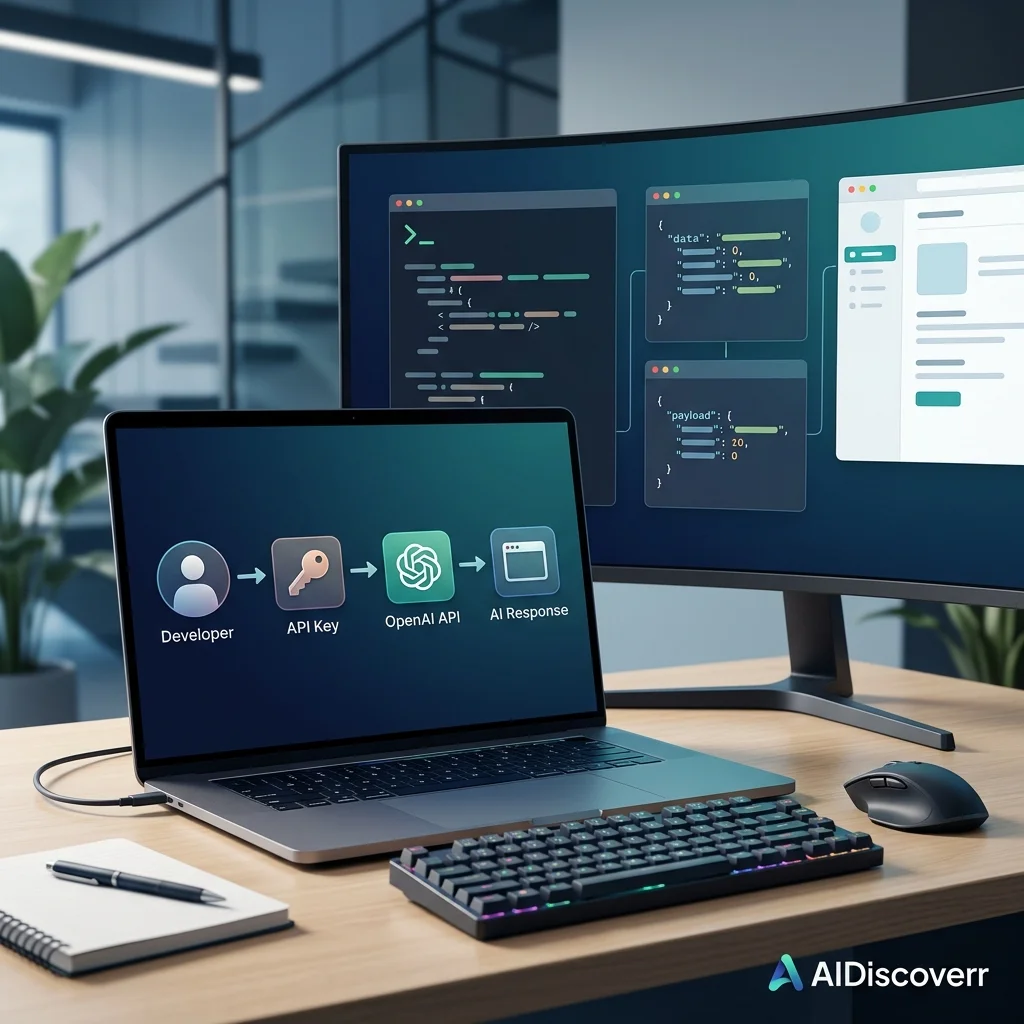
This OpenAI API setup guide walks through the complete process from creating an API key to making your first API request with JavaScript, Python, or cURL.
The current OpenAI developer platform uses the Responses API for the basic request flow, and OpenAI provides official SDKs and quickstart examples for common programming environments.
OpenAI API Setup at a Glance
| Category | Details |
|---|---|
| API | OpenAI API |
| Best for | Developers building AI-powered applications |
| Main API for new examples | Responses API |
| Authentication | API key |
| Recommended key storage | Environment variable |
| Common SDKs | JavaScript/TypeScript, Python |
| API billing | Separate from ChatGPT subscriptions |
| Pricing model | Usage/token based |
| Client-side API key | Do not expose it |
| Beginner difficulty | Moderate |
| Best first step | Create an API key and run the official quickstart |
OpenAI states that API billing is managed separately from ChatGPT subscriptions. Having a paid ChatGPT subscription does not automatically transfer that subscription to API usage.
What Is the OpenAI API?
The OpenAI API is a developer platform that lets applications send requests to OpenAI models and receive AI-generated results.
Developers can use it to build applications involving:
- Text generation
- Reasoning
- Coding
- Image understanding
- Image generation
- Audio
- Structured outputs
- Tool calling
- AI agents
- Automation
- Research workflows
- Customer support
- Content systems
OpenAI's current platform documentation provides examples using the Responses API with JavaScript, Python, and cURL.
The important distinction is that ChatGPT and the OpenAI API are separate products for billing purposes. You can use ChatGPT without using the API, and API usage is billed separately.
What You Need Before Setting Up the OpenAI API
Before writing code, prepare these things:
- An OpenAI account
- Access to the OpenAI developer platform
- An API key
- A development environment
- Node.js, Python, or another supported development setup
- A secure place for your API key
- API billing configured if required for your intended usage
You do not need to build a complicated application to test the API. You can start with one simple request.
How to Set Up the OpenAI API Step by Step
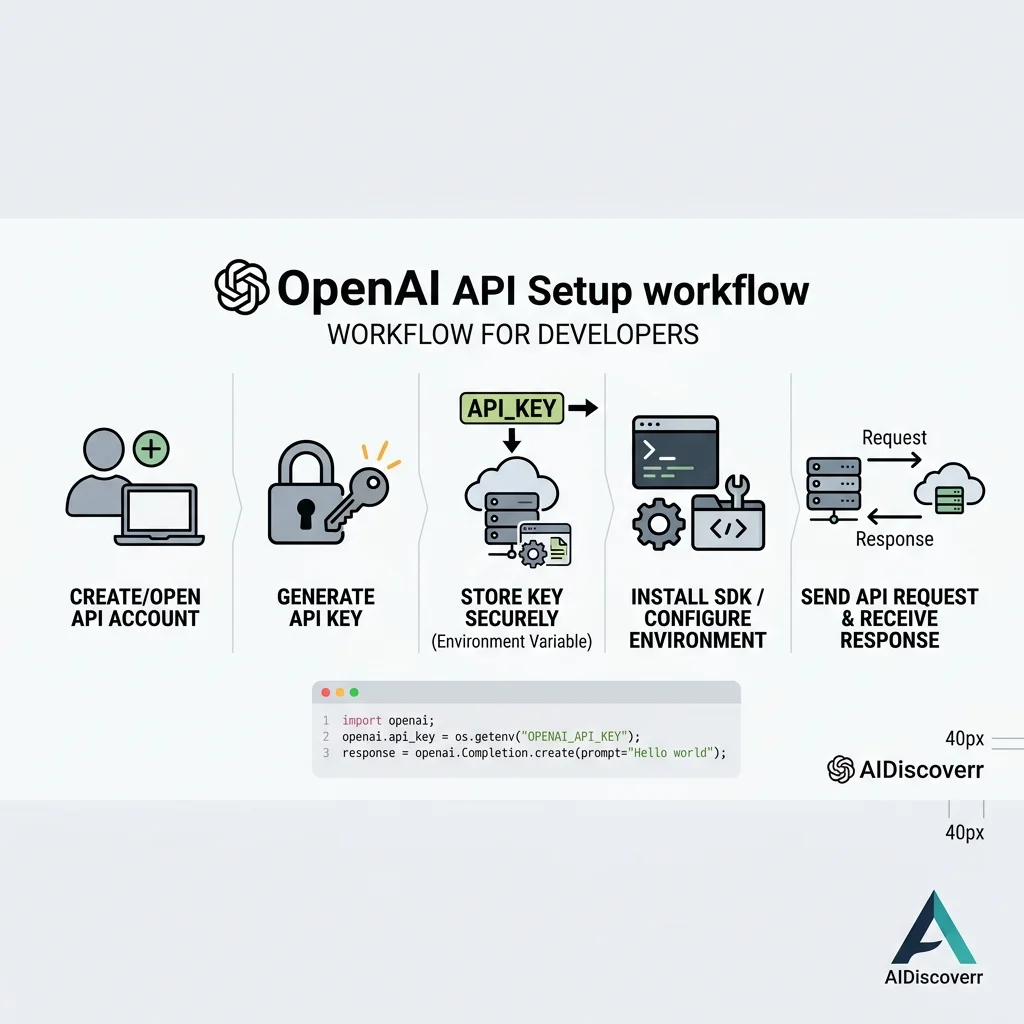
Step 1: Create or Sign In to Your OpenAI Account
Start by signing in to the OpenAI developer platform.
If you already have an OpenAI account, use that account to access the API platform. Remember that API usage and ChatGPT subscription billing are separate.
Step 2: Create an OpenAI API Key
Your API key authenticates requests from your application.
OpenAI provides an API key management page where you can create and manage keys. The full secret key is shown when it is created, so save it securely at that point. If you lose it, OpenAI recommends creating a new key rather than trying to recover the old secret.
How to Keep Your OpenAI API Key Secure
OpenAI specifically recommends keeping API keys on your backend and using environment variables or a dedicated secret-management system.
Step 3: Store Your API Key in an Environment Variable
The recommended variable name is:
OPENAI_API_KEY
For example, on macOS or Linux:
export OPENAI_API_KEY="your_api_key_here"
On Windows PowerShell:
setx OPENAI_API_KEY "your_api_key_here"
OpenAI's documentation recommends environment variables because they keep secrets out of your application source code.
Step 4: Install the OpenAI SDK
The official OpenAI developer documentation provides SDK examples for JavaScript and Python.
JavaScript / Node.js
Install the OpenAI package:
npm install openai
Then create your client:
import OpenAI from "openai";

const client = new OpenAI();
Because OPENAI_API_KEY is available as an environment variable, the SDK can use it without putting the secret directly in your source code.
Python
Install the official package:
pip install openai
Then initialize the client:
from openai import OpenAI

client = OpenAI()
The SDK reads the API key from the environment variables.
Step 5: Choose an OpenAI Model
Choosing the model is one of the most important parts of API setup.
The right model depends on reasoning requirements, latency, context size, and budget.
OpenAI's current model documentation recommends GPT-5.6 Sol for complex reasoning and coding, GPT-5.6 Terra when balancing intelligence and cost, and GPT-5.6 Luna for cost-sensitive, high-volume workloads.
| Model | General positioning |
|---|---|
| GPT-5.6 Sol | Complex reasoning and coding |
| GPT-5.6 Terra | Intelligence/cost balance |
| GPT-5.6 Luna | Cost-sensitive, high-volume workloads |
Model availability and pricing can change, so check the current model catalog before deploying an application.
Step 6: Make Your First OpenAI API Request
The current OpenAI quickstart uses the Responses API.
OpenAI API Setup for JavaScript
import OpenAI from "openai";

const client = new OpenAI();

const response = await client.responses.create({
  model: "gpt-5.6",
  input: "Explain APIs in simple terms."
});

console.log(response.output_text);
OpenAI API Setup for Python
from openai import OpenAI

client = OpenAI()

response = client.responses.create(
    model="gpt-5.6",
    input="Explain APIs in simple terms."
)

print(response.output_text)
Step 7: Test the API with cURL
You can also make an API request without installing an SDK.
curl https://api.openai.com/v1/responses \
  -H "Content-Type: application/json" \
  -H "Authorization: Bearer $OPENAI_API_KEY" \
  -d '{
    "model": "gpt-5.6",
    "input": "Explain what an API is in one paragraph."
  }'
This is useful when troubleshooting. If the cURL request works but your application does not, the problem is probably in your application configuration rather than the API itself.
OpenAI API Setup for a Next.js Application
A simple, secure architecture looks like this:
User ➔ Next.js Frontend ➔ Server/API Route (Holds Key) ➔ OpenAI API
Your API key remains safely on the server and is never sent to the browser.
Example Next.js Server Route
import OpenAI from "openai";

const client = new OpenAI();

export async function POST(request) {
  const body = await request.json();

  const response = await client.responses.create({
    model: "gpt-5.6",
    input: body.prompt
  });

  return Response.json({
    output: response.output_text
  });
}
Frontend example calling your API route
const response = await fetch("/api/openai", {
  method: "POST",
  headers: {
    "Content-Type": "application/json"
  },
  body: JSON.stringify({
    prompt: "Explain machine learning simply."
  })
});

const data = await response.json();
console.log(data.output);
OpenAI API Pricing: How Much Does It Cost?
OpenAI API usage is usage-based and charged based on tokens. This is billed separately from ChatGPT subscriptions.
| Model | Input / 1M tokens | Output / 1M tokens |
|---|---|---|
| GPT-5.6 Sol | $5 | $30 |
| GPT-5.6 Terra | $2 | $12 |
| GPT-5.6 Luna | $0.20 | $1.20 |
Tokens are pieces of text processed by the model (both input sent and output generated). Standard rates are subject to change.
Does ChatGPT Plus Include OpenAI API Usage?
No. ChatGPT subscriptions and API usage are billed separately. You can have a paid ChatGPT subscription and still need to configure API billing for API usage.
Is the OpenAI API Free?
No. API access has its own billing system, and usage is charged according to the applicable API pricing. Always check your account's current billing configuration.
How to Set Up OpenAI API for a Team
Do not share one personal API key with everyone on your development team. OpenAI recommends using project-based API keys and assigning users to specific projects instead.
OpenAI Organization
├── Development Project ➔ Dev API Key
├── Staging Project     ➔ Staging API Key
└── Production Project  ➔ Production API Key
Common OpenAI API Setup Errors
- "API key not found": Check that your application can see the
OPENAI_API_KEYenvironment variable. Restart your terminal or dev server. - "Incorrect API key": Check for typos, copying issues, or whether the key was rotated or revoked.
- 401 Unauthorized: Authentication problem. Double-check your headers and IP allowlisting if enabled.
- 429 Rate Limit or Usage Error: Reached limit or billing issue. Implement controlled retries with backoff.
- Model Not Found: The model ID is incorrect or is not yet available to your developer tier.
OpenAI API vs ChatGPT: What's the Difference?
| Feature | ChatGPT | OpenAI API |
|---|---|---|
| Main purpose | Ready-to-use AI chat app | Build AI into your own software |
| Target user | General users | Developers |
| Custom integration | Limited | Full control |
| Billing | Flat subscription | Usage-based token billing |
What Can You Build With the OpenAI API?
Once your setup works, you can build customer chatbots, writing tools, coding agents, RAG database search, and complex multi-step automated workflows.
★ A Better Production Architecture
While a beginner connects an app directly to the API, a production application adds authentication, request validation, rate limiting, cost monitoring, and security management between the frontend and OpenAI.
How to Control OpenAI API Costs
- Choose the right model: Use
GPT-5.6 Lunafor high-volume, low-cost tasks, and only useGPT-5.6 Solfor complex reasoning. - Reduce input size: Avoid sending massive repetitive prompt context.
- Set spending limits: Set daily or monthly spend thresholds in the OpenAI dashboard.
OpenAI API Setup Checklist
- [ ] OpenAI developer account created & billing configured
- [ ] API secret key generated and saved securely
- [ ] Key stored in environment variables (never in git/frontend)
- [ ] Official SDK package installed
- [ ] First test request successfully executed using the Responses API
Frequently Asked Questions
Frequently Asked Questions
How do I set up the OpenAI API?
Create an OpenAI API key, store it in the OPENAI_API_KEY environment variable, install the official SDK for your programming language, and make a request through the Responses API. OpenAI's current quickstart provides JavaScript, Python, and cURL examples.
Do I need ChatGPT Plus to use the OpenAI API?
No. ChatGPT subscriptions and API billing are separate. API usage is managed and billed independently.
Where do I get an OpenAI API key?
You can create and manage API keys from the OpenAI API key dashboard. The complete secret is shown when the key is created.
Can I put my OpenAI API key in JavaScript?
You should not put a secret OpenAI API key in browser-side JavaScript. OpenAI recommends routing API requests through your own backend so the key remains private.
Can I use the OpenAI API with Python?
Yes. OpenAI provides a Python SDK, and the current quickstart uses the OpenAI client with the Responses API.
Can I use the OpenAI API with Node.js?
Yes. OpenAI provides JavaScript/TypeScript SDK examples for Node.js applications.
Is the OpenAI API free?
You should not assume that API usage is free. API access has separate billing and usage-based pricing. Check the current OpenAI pricing and billing pages for your account and selected model.
Which OpenAI model should beginners use?
There is no single best model for every application. OpenAI currently recommends GPT-5.6 Sol for complex reasoning and coding, GPT-5.6 Terra for a balance of capability and cost, and GPT-5.6 Luna for cost-sensitive, high-volume workloads.
What should I do if my API key is exposed?
Treat it as compromised. Rotate or delete the exposed key, create a replacement, update your application, and review API usage for unexpected activity. OpenAI recommends rotating keys when compromise is suspected.
Can I share my OpenAI API key with a developer?
OpenAI does not recommend sharing personal API keys. For team development, use projects and separate project-based keys instead.
Can I use the OpenAI API directly from a mobile app?
You should not embed your secret API key inside a mobile application. A backend should handle authenticated API requests so the secret is not distributed to users.
Final Verdict: Is OpenAI API Setup Difficult?
No, the basic setup is highly straightforward. The process can be done in minutes. However, production security is where you must focus: keep keys server-side, configure rate limiting, and monitor your token costs.
Editorial guide. Claims verified using official OpenAI documentation. Not affiliated with OpenAI.