HammerAI Review 2026: Features, Pricing, Privacy & Local AI
Table of Contents
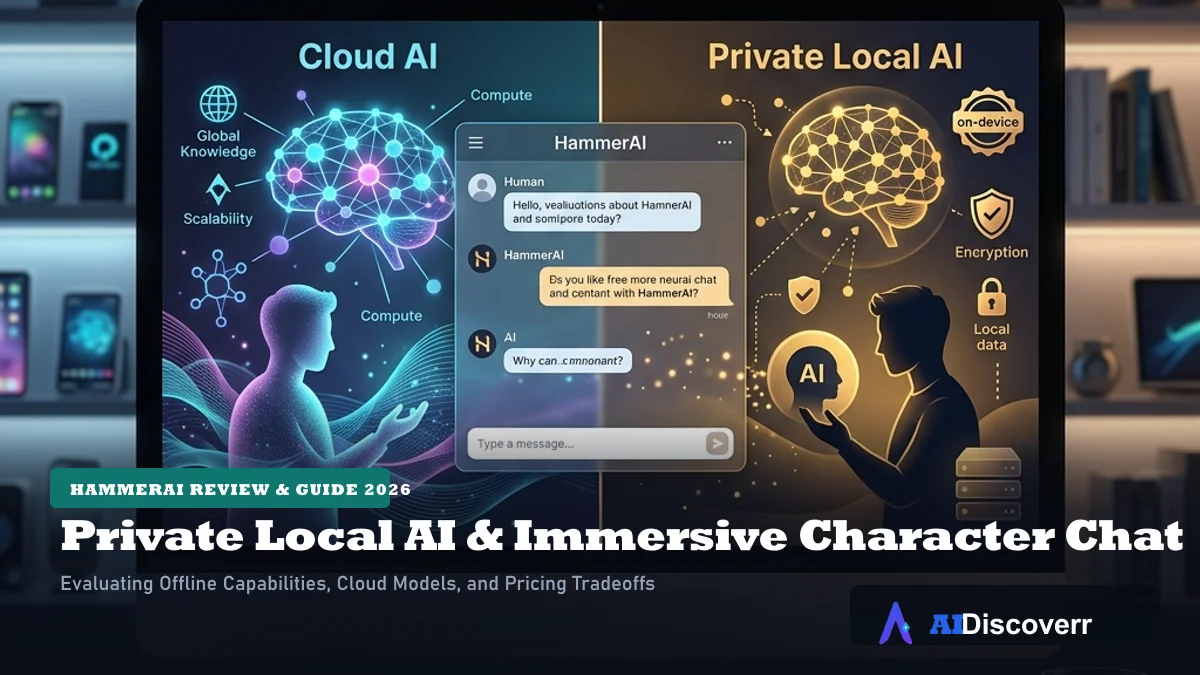
If you are looking for an AI character platform that gives you more control over your models and data, **HammerAI** is worth a closer look.
Unlike many AI companion platforms that depend entirely on cloud servers, HammerAI supports local AI models through its desktop application. You can also use cloud models when you want more convenience or do not have powerful hardware.
HammerAI combines AI character chat, roleplay, stories, group conversations, personas, lorebooks and image generation in one platform.
What Is HammerAI?
HammerAI is a platform designed for creative and character-based interaction, rather than general productivity. It serves as a playground for roleplay, custom scenarios, and interactive story writing. You can customize details down to how the model steers, what background lore is triggered, and which LLM drives the character.
HammerAI at a Glance
Here is a summary of HammerAI's features and specifications for 2026:
| Category | Details |
|---|---|
| Main Use | AI character chat, roleplay and interactive stories |
| Local AI Support | Yes (Ollama / WebLLM) |
| Platforms Supported | Windows, macOS, Linux, Web, Android, and iOS |
| Core Features | Lorebooks, Personas, Group Chats, and Cloud/Local TTS |
| Image Generation | Yes (Cloud-based as of 2026) |
| Free Option | Yes (Free plan with local LLMs and daily cloud limit) |
Is HammerAI Free?
Yes, HammerAI offers a free tier. The Free plan is priced at **$0/month** and includes access to local LLMs, the ability to proxy to external LLM APIs, cloud LLM access with a daily cloud-message allowance (listed as **600 cloud messages per day**), and an 8,192-token maximum context size.
HammerAI Features
AI Character Chat
Character chat is the core experience. You can select public characters from a large ecosystem or build custom ones from scratch. The interface is optimized for roleplay and features inline prompt editing and regeneration.
Can I delete only the AI's message without deleting mine?
Yes. Public community feedback on platforms like Reddit highlights that HammerAI allows granular message deletion, so you can delete or edit individual AI-generated messages in the chat stream without wiping out your own inputs. This helps users correct narrative drift during long roleplay sessions.
Can HammerAI keep alternative AI responses?
HammerAI supports regenerating responses, which creates swipable cards for alternative replies. However, community discussions indicate that retaining or comparing multiple paths concurrently can sometimes be limited, so users often copy important branches into text files or use story branching controls.
Local AI Models
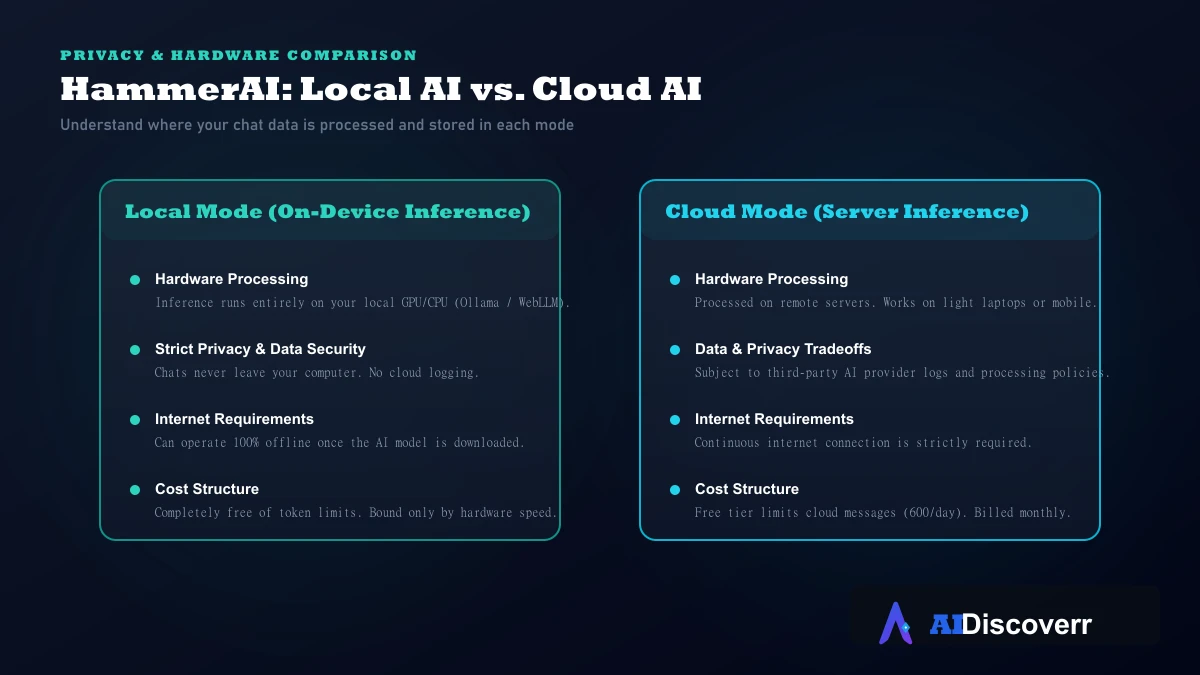
The desktop application uses Ollama and llama.cpp to run large language models on your system. This runs calculations directly on your GPU or CPU without needing an internet connection after downloading.
Where are HammerAI files stored locally?
Local files (like model weights and logs) are managed via standard directory paths mapped by Ollama or the app's data folder (e.g., in AppData on Windows or Application Support on macOS).
Why did my local model stop generating?
Local generation issues are typically caused by VRAM overflows or running out of memory. If a model halts mid-response, reducing the context window size or choosing a smaller parameter model (such as a 7B or 8B model instead of 70B) usually resolves it.
Cloud AI Models
If you want convenience or don't have a dedicated GPU, HammerAI lets you connect to cloud-hosted models. While fast and low-maintenance, cloud models send your conversations to remote servers, meaning third-party policies apply to how your data is handled.
Stories and Roleplay
Unlike static chatbot windows, HammerAI is built around interactive story campaigns. You can structure branching plots, import character lore, and direct scenes manually using simple narrative overrides.
Personas and Character Creation
Personas allow you to configure details about your character (e.g., name, backstory, behaviors) so the AI always addresses you contextually. You can save multiple personas and swap them mid-conversation.
Lorebooks
Lorebooks are dynamic world-building databases. They store entries mapped to specific trigger words. When a trigger word appears in the conversation, the associated lore is instantly injected into the AI's short-term context. This keeps character memory sharp for complex fictional worlds without bloating the default token count.
Group Chats
HammerAI supports multi-character group chats. You can invite up to ten characters into a single room, allowing them to converse with you and each other.
AI Image Generation
The platform includes cloud-based text-to-image models. You can generate standalone illustrations or ask the AI to render character and scene images directly inside the chat window using your cloud credits.
Text-to-Speech
TTS features add an audio dimension to roleplay. Paid tiers offer premium cloud voice options, while recent 2026 releases added local TTS options (using Piper and Kokoro) to keep voice generation fully offline and private on desktop.
HammerAI Local AI vs Cloud AI
Choosing between local and cloud modes is the most important decision you make. Use the comparative diagram below to understand the distinct pipelines:
HammerAI Pricing in 2026
HammerAI's structure comprises four primary subscription levels, alongside optional credit packs:
| Plan | Monthly Price | Key Features & Limits |
|---|---|---|
| Free | $0 | Local LLMs, external API proxy, cloud LLMs with 600 msgs/day, 8k context size. |
| Starter | $9 | Higher cloud limits, access to mid-tier LLMs, increased context window. |
| Advanced | $18 | Access to premium 70B+ cloud models, priority queue, monthly image/TTS credits. |
| Ultimate | $35 | Maximum context, unlimited premium cloud chat, high-quota image & TTS generation. |
If you run out of credits for TTS or cloud image generation, HammerAI offers manual top-ups ranging from **$1.99 for 200 credits** up to **$99.99 for 20,000 credits**.
Is HammerAI Private?
It depends on the mode.
When running local models, HammerAI does not collect or transmit your character conversations. All character cards, chat files, and lorebooks exist locally on your disk.
When utilizing cloud models, conversations must be processed on remote servers. HammerAI's privacy policy states that third-party AI cloud providers may process and store messages to generate responses.
Is HammerAI Safe?
Yes. HammerAI states that it does not use your private chat files or local characters to train its models. However, users must be at least 18 years old to comply with the platform's Terms of Service. For maximum data safety, sticking to the local, offline mode ensures no third-party server exposure.
How to Use HammerAI
Using HammerAI on the Web
1. Open `hammerai.com` in your browser.
2. Sign in and configure your user persona.
3. Choose an existing character card from the library and begin chatting using cloud resources.
Using HammerAI Desktop
1. Download the desktop app for Windows, macOS, or Linux from the official download page.
2. Install the application. It automatically detects compatible GPU acceleration.
3. Choose whether to connect to cloud models or download local models.
Running a Local Model
1. Within the desktop app, navigate to the model settings panel.
2. Choose from the list of 20+ supported local LLMs (e.g., Llama 3, Mistral, Gemma).
3. The app will fetch the model weights via Ollama. Once complete, you can disconnect your internet and chat offline.
Creating a Character
1. Click "Create Character" in the sidebar.
2. Provide name, avatar, and description instructions.
3. Set up the character's temperature and model configuration.
Using a Lorebook
1. Create or import a JSON lorebook file under the World Settings tab.
2. Write specific keys (e.g., "Kingdom of Avalor") and define their background context.
3. When you write that keyword during a chat, HammerAI automatically appends the description to the active prompt.
Pros and Cons
Where It Shines
Local AI support for Windows, macOS, and Linux with GPU acceleration
Offline desktop usage without third-party API dependencies
Free tier allows local LLM access and core chat limits
Flexible character creation with lorebooks, group chats, and personas
Android and iOS app availability for mobile access
No data logging of user chats when running fully local models
Where It Falls Short
Local AI performance depends entirely on your system's hardware
Cloud mode routes chats through third-party AI providers
Image generation is currently cloud-only and consumes extra credits
Subscriptions and cloud models have daily message limits
Local data sync between desktop and mobile devices is not automated
Who Should Use HammerAI?
HammerAI is a great fit for users who want complete control over their roleplay privacy, prefer offline local model execution, are comfortable downloading model weights (usually 4GB to 15GB), and want advanced lorebook integration.
Who Should Not Use HammerAI?
It is not ideal for users who do not have a dedicated GPU (as local generation will feel extremely slow), are looking for productivity tools (coding, data analysis, spreadsheets), or want automated cloud sync of local chats across all their devices.
HammerAI Alternatives
HammerAI vs Character.AI
Character.AI is a cloud-only platform that boasts the largest library of characters and a massive community ecosystem. However, it applies strict content filtering and is entirely cloud-dependent. HammerAI is the stronger pick if you want unfiltered local models, offline capability, and total privacy.
HammerAI vs SpicyChat
SpicyChat is a cloud platform built primarily for mature roleplay. HammerAI offers a much cleaner privacy baseline since you can run the models locally on your own machine. SpicyChat is easier to boot up on mobile, but HammerAI leads for power users who want local control.
HammerAI vs JanitorAI
JanitorAI is popular for browser-based custom API integration, allowing users to configure external models. HammerAI simplifies the local setup process by packing everything directly into an easy-to-use desktop application with automatic GPU configuration.
Frequently Asked Questions
Frequently Asked Questions
Is HammerAI completely free?
HammerAI has a free plan, but some advanced cloud features and paid services require subscriptions or credits. The current official pricing page lists Free, Starter, Advanced and Ultimate plans.
Can HammerAI work offline?
Yes. The desktop application can run local AI models offline. Cloud features require an internet connection.
Is HammerAI private?
HammerAI offers a local mode where conversations can remain on your device. Cloud AI can involve third-party AI providers, so the privacy model depends on how you use the service.
Does HammerAI have a mobile app?
Yes. HammerAI has a mobile application, including Android, and its current mobile page provides links for Android and iOS.
Can HammerAI generate images?
Yes. HammerAI has integrated image generation for standalone images and images generated within chats.
Does HammerAI support local LLMs?
Yes. Its desktop application supports local models using technologies including Ollama and llama.cpp.
What are HammerAI Lorebooks?
Lorebooks store keyword-triggered information that can be added to the prompt when relevant terms appear in a conversation. They are useful for maintaining story and world-building context.
Does HammerAI have group chat?
Yes. Current HammerAI plans include group chats with multiple characters, with the current plan information listing support for up to ten characters.
Is HammerAI better than Character.AI?
There is no universal winner. HammerAI is particularly attractive for local AI, privacy and offline use, while Character.AI has strong mainstream character and community appeal.
Is HammerAI worth paying for?
It depends on your needs. The free tier is enough to explore the platform, while paid plans become more useful if you want additional cloud models, larger context, image generation and TTS features.
Final Verdict
**HammerAI is one of the most compelling options in the AI companion space for privacy-conscious users.** Its desktop application bridges the gap between complex local model configurations and friendly character-chat interfaces.
If you have the hardware to run a local model (ideally a system with 16GB+ RAM and a modern GPU), HammerAI gives you unmatched creative freedom and privacy. If you rely entirely on the cloud web interface, it is still a highly capable roleplay tool, but you will be subject to standard cloud limits and third-party data processing.
Lead AI Tech Analyst & Editorial Director